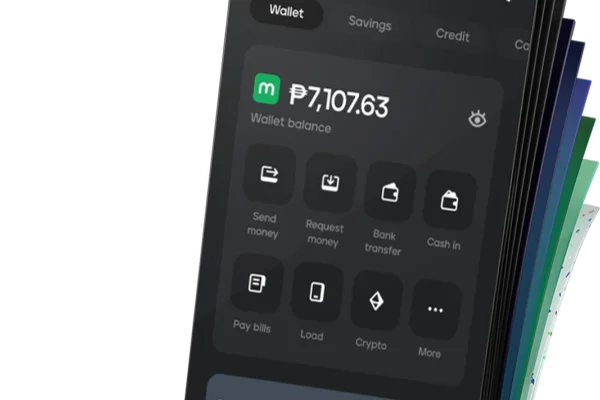


Adding playable funds to your 99Jili wallet is straightforward thanks to direct integration with mainstream Philippine digital payment providers. Centralized within our 99Jili Brand & Access Hub, the platform processes deposits in real time using verified mobile channels like GCash and Maya so you can begin playing your favorite titles without unnecessary delays. This comprehensive payment walkthrough details current deposit thresholds, step-by-step transaction instructions, fee transparency, and solutions for delayed balance credits.
Supported 99Jili Payment Methods & Channels
99Jili accommodates Philippine gamers by offering multiple secure cash-in options directly within the Member Center:
| Payment Method | Minimum Deposit | Maximum Deposit | Processing Speed | Transaction Surcharge |
|---|---|---|---|---|
| GCash QR / Direct | ₱100 | ₱50,000 | Instant (1–3 Mins) | 0% Free |
| Maya Direct | ₱100 | ₱50,000 | Instant (1–3 Mins) | 0% Free |
| Online Bank Transfer | ₱500 | ₱100,000 | 5–15 Mins | 0% Free |
| USDT (Tether TRC20) | ₱1,000 equiv. | ₱250,000 | 5–10 Mins | Network Gas Fee |
Step-by-Step Deposit Instructions via GCash
Funding your wallet via GCash is the most popular cash-in method for Philippine players:
Step 1: Navigate to the Cashier
Sign in to your 99Jili account, open the user control panel, and click the highlighted "Deposit" icon in your wallet header.
Step 2: Choose GCash Channel
Select "GCash" from the list of payment channels. Pick either the dynamic QR code scanner option or the direct merchant transfer gateway.
Step 3: Enter Deposit Value
Type your desired top-up amount (e.g., ₱200, ₱500, or ₱1,000). Ensure the amount falls within the stated minimum and maximum limits.
Step 4: Authorize Payment in Your Mobile App
- If Using Dynamic QR: Take a screenshot of the system-generated QR code, open your GCash app, tap "QR," upload the image, and confirm payment.
- If Using Direct Gateway: Enter your 11-digit GCash mobile number on the encrypted portal and input the 6-digit MPIN and SMS OTP to approve.
Step 5: Save Transaction Receipt
Once confirmed in GCash, screenshot your transaction reference number. Return to 99Jili and refresh your browser. Your balance will update automatically.
Step-by-Step Deposit Instructions via Maya
Using Maya for your deposits is fast, reliable, and free of fees:
- Open Deposit Section: Click "Deposit" in your 99Jili profile.
- Select Maya: Choose the Maya payment icon and input your deposit amount.
- Submit Details: Click "Next" to generate the transaction order invoice.
- Approve via Maya App: Open Maya, scan the payment invoice, and authorize the exact charge.
- Verify Balance: Your 99Jili wallet updates within seconds of authorization.
Important Deposit Guidelines and Rules
- Name Matching Policy: Always ensure the account name on your personal GCash or Maya profile matches your registered 99Jili legal identity. Deposits originating from third-party wallets may be flagged for manual security review.
- Single-Use QR Codes: Every deposit request generates a unique, time-sensitive QR code. Never reuse an expired code for subsequent deposits.
- Bonus Selection: If you wish to claim an introductory promotional match, select the relevant offer checkbox inside the deposit window before finalizing your payment.
How to Resolve Delayed Deposit Balances
If your funds have been debited from your mobile wallet but do not reflect in your 99Jili balance after five minutes, take the following steps:
- Check Transaction Status: Review your GCash or Maya inbox to verify that the payment was successful and generated a valid reference number.
- Refresh Your Member Wallet: Log out of 99Jili, clear your browser cache, and sign back in to refresh server balance synchronization.
- Contact Customer Support: If the balance remains uncredited after 10 minutes, open the 24/7 live support window and provide your registered username, exact deposit amount, and a clear screenshot of your transaction receipt.
Responsible Gaming Commitment
Depositing funds should always be budgeted strictly from your personal entertainment allowance. Never gamble with money earmarked for household essentials, rent, or tuition. Set realistic daily and weekly spending caps to maintain control. For confidential assistance and responsible gaming resources, please consult the PAGCOR Regulatory Framework and GamCare.